
Set up your club and invite your committee
Create your club's Lane4 workspace and bring in the committee members and coaches who'll run it with you.
For: Whoever sets Lane4 up for the club
- 1
Create your account
Go to lanefour.uk and choose Get started. Pick your club from the British Swimming club list, then enter your name, email address and a password (or sign up with Google). The first person from a club becomes its Team Manager, with full access to set everything up.
- 2
Invite your committee and coaches
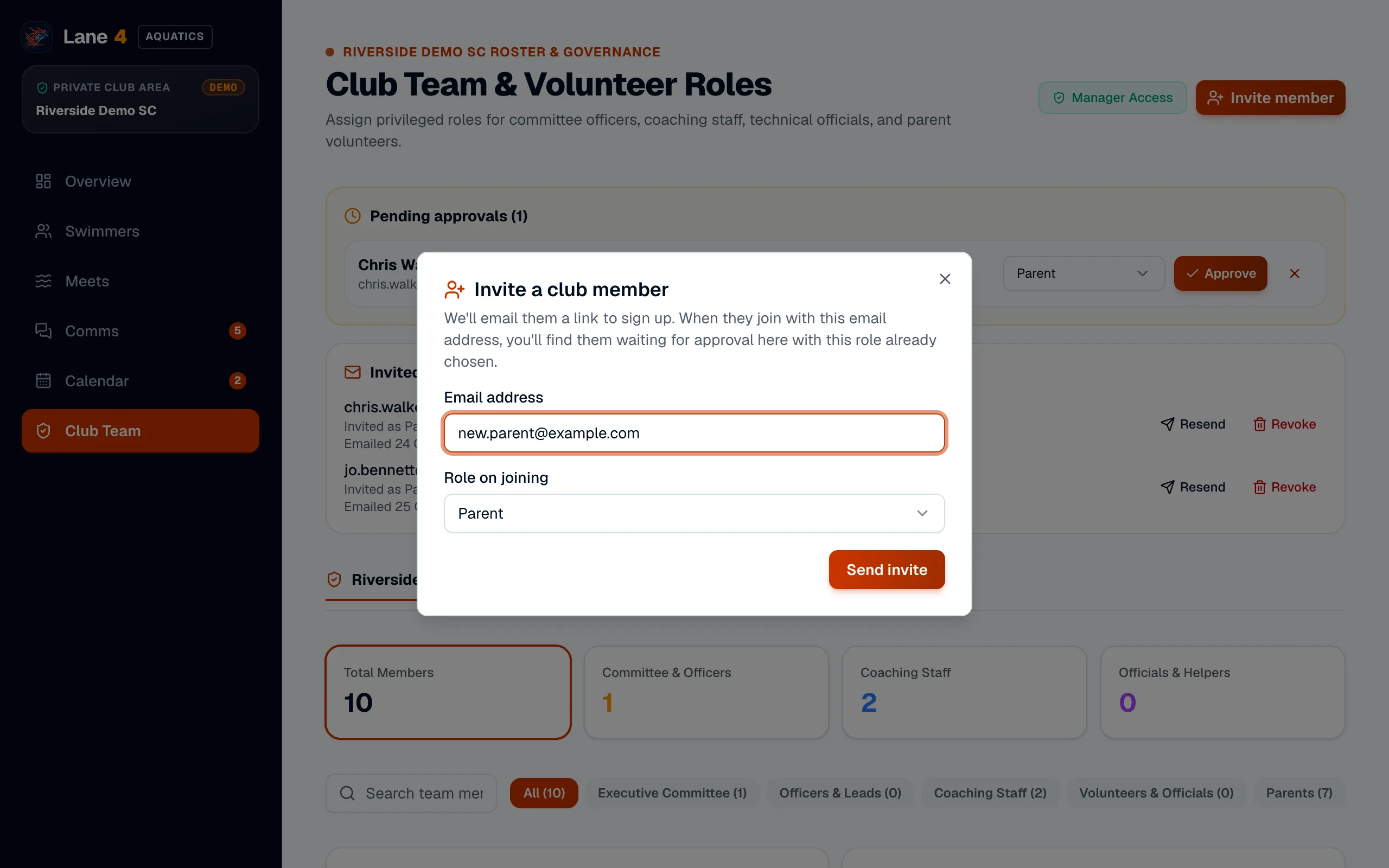
Open Club Team and choose Invite member. Enter their email address and the role they'll have, such as Secretary, Treasurer, Head Coach or Coach, then Send invite. Lane4 emails them a link to sign up.
- 3
Approve them when they join
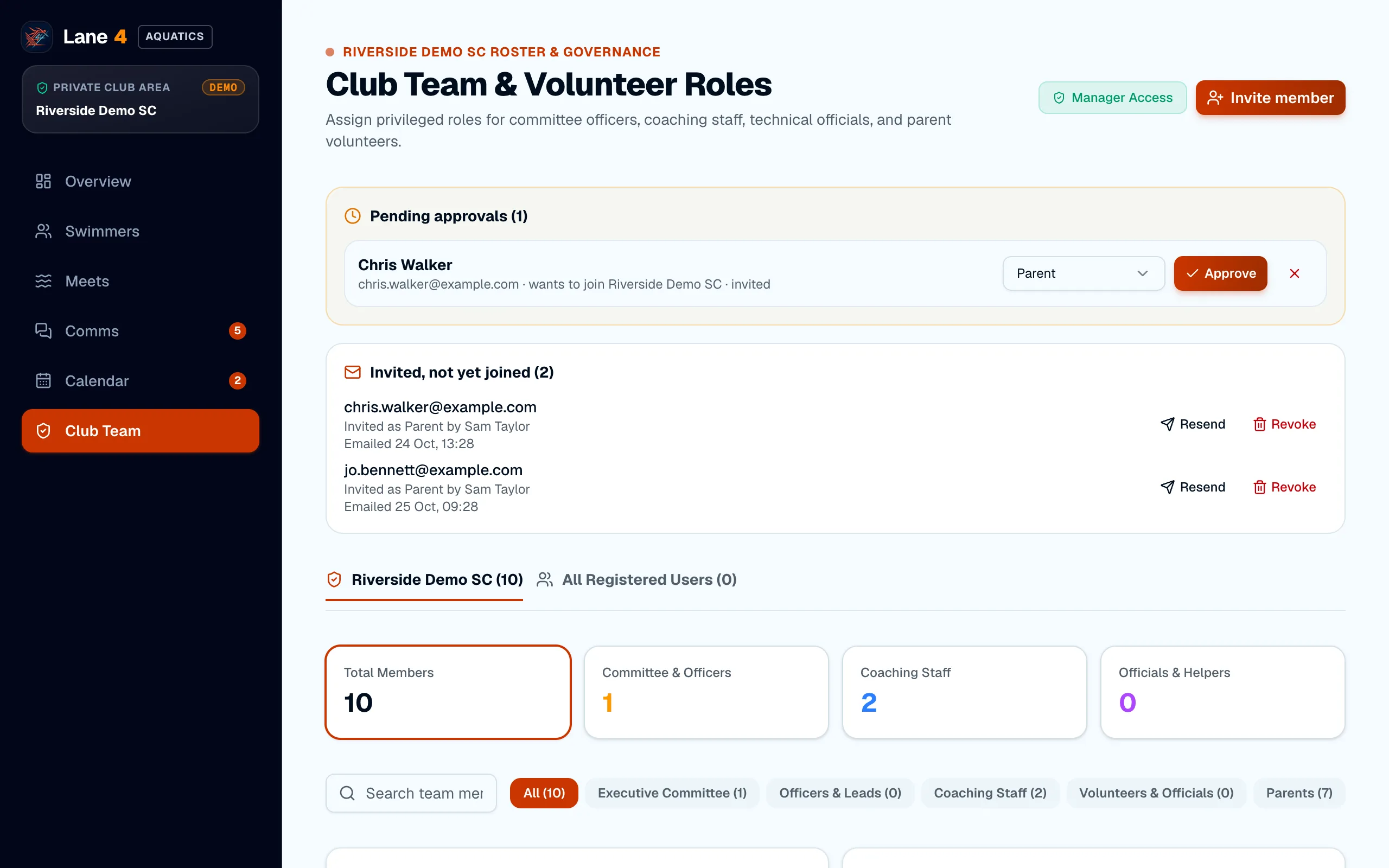
When they've signed up, they appear under Pending approvals on Club Team with the role you chose already selected. Choose Approve and they're in.
Screenshots show Riverside Demo SC, a made-up club with fictional members and swimmers.