
Invite parents and approve new members
Get parents into Lane4 so they can see their swimmers, respond to meet invitations and receive club notices.
For: Membership secretaries and club admins
- 1
Send invites
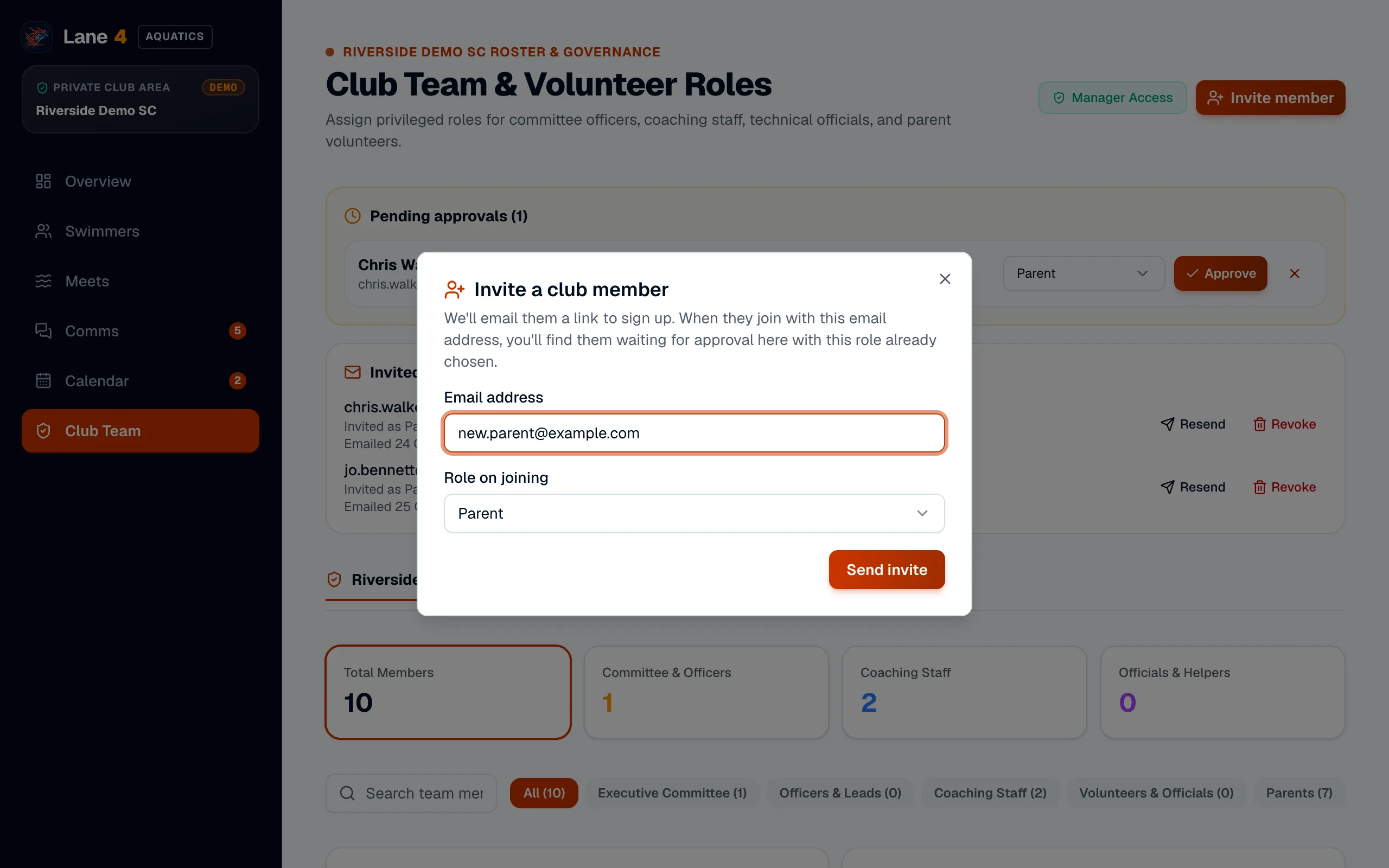
On Club Team, choose Invite member, enter the parent's email address, leave the role as Parent and choose Send invite. Lane4 emails them a sign-up link with your club already selected.
- 2
Approve each new member
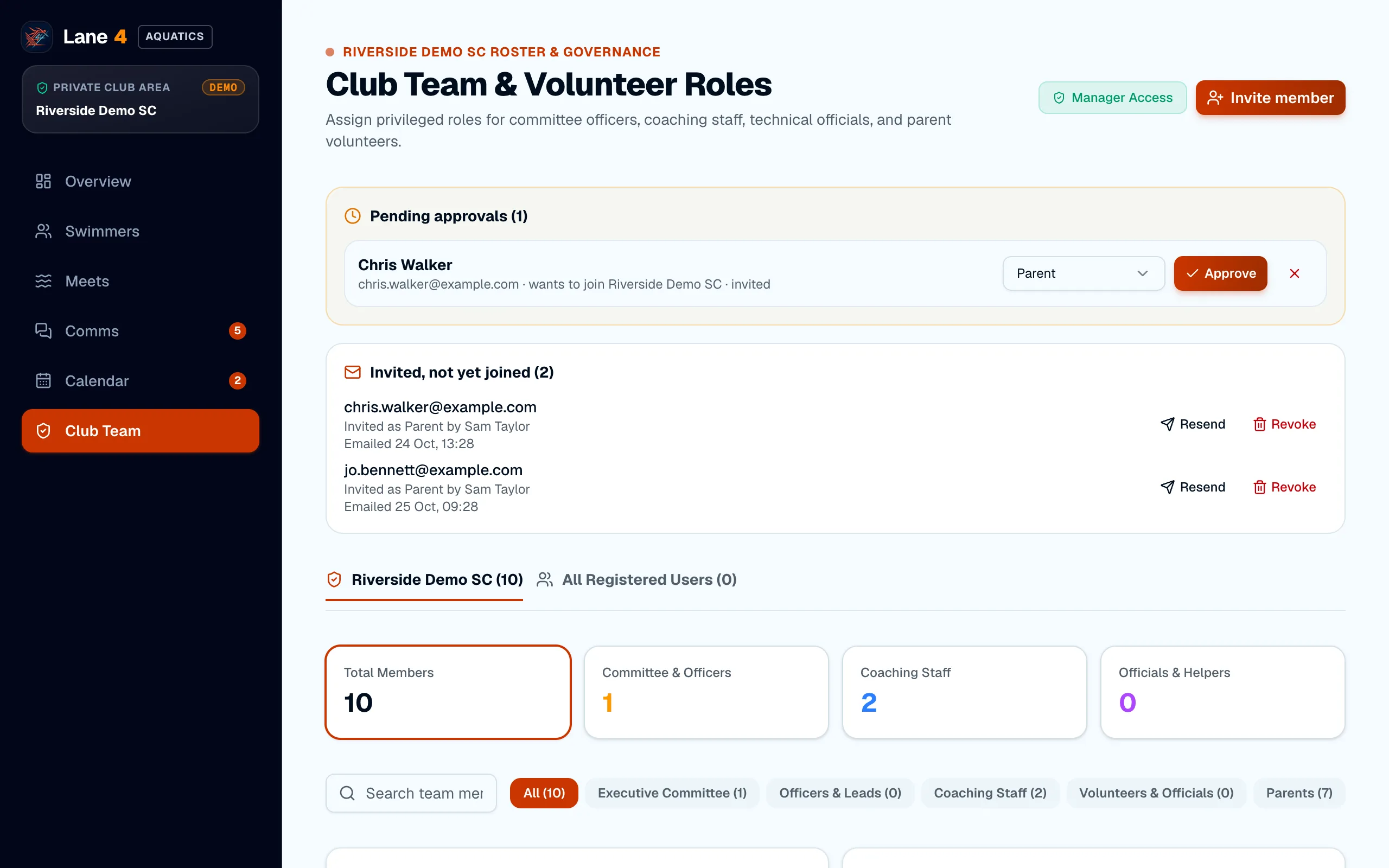
Nobody sees your club's information until an admin approves them. New sign-ups appear under Pending approvals; check the name and role, then choose Approve. Invited members show a note that they were invited.
- 3
Link them to their swimmers
Once approved, link each parent to their children from the swimmer's profile (see Add swimmers and link them to parents). Parents then see only their own swimmers.
Screenshots show Riverside Demo SC, a made-up club with fictional members and swimmers.