
Add swimmers, put them in squads and link them to parents
Build your club's swimmer register, organised by squad, with each swimmer linked to the parents who manage their entries.
For: Club admins and coaches
- 1
Add a swimmer
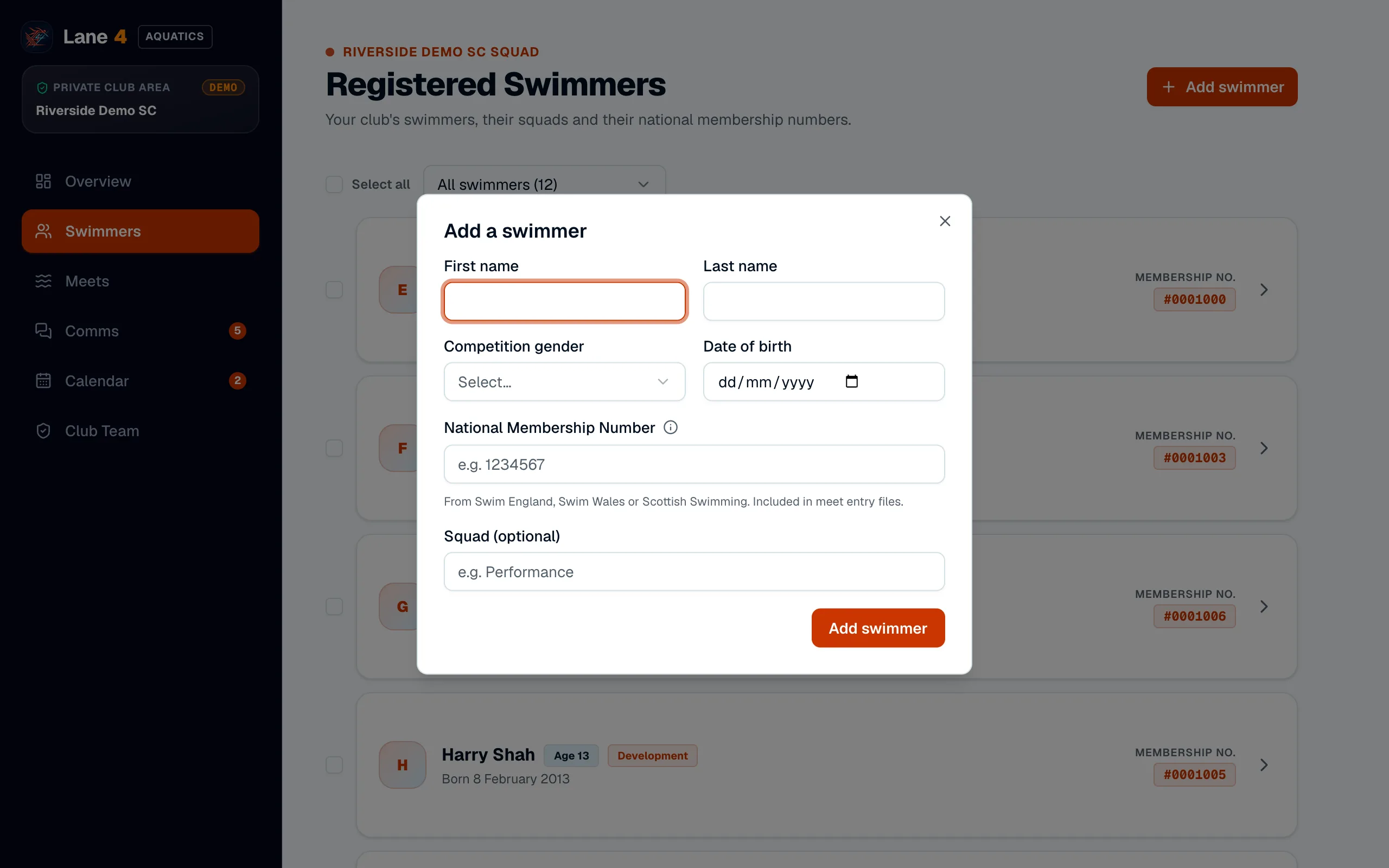
Open Swimmers and choose Add swimmer. Enter their first and last name, competition gender, date of birth, National Membership Number (from Swim England, Swim Wales or Scottish Swimming) and squad, then choose Add swimmer.
- 2
Organise squads
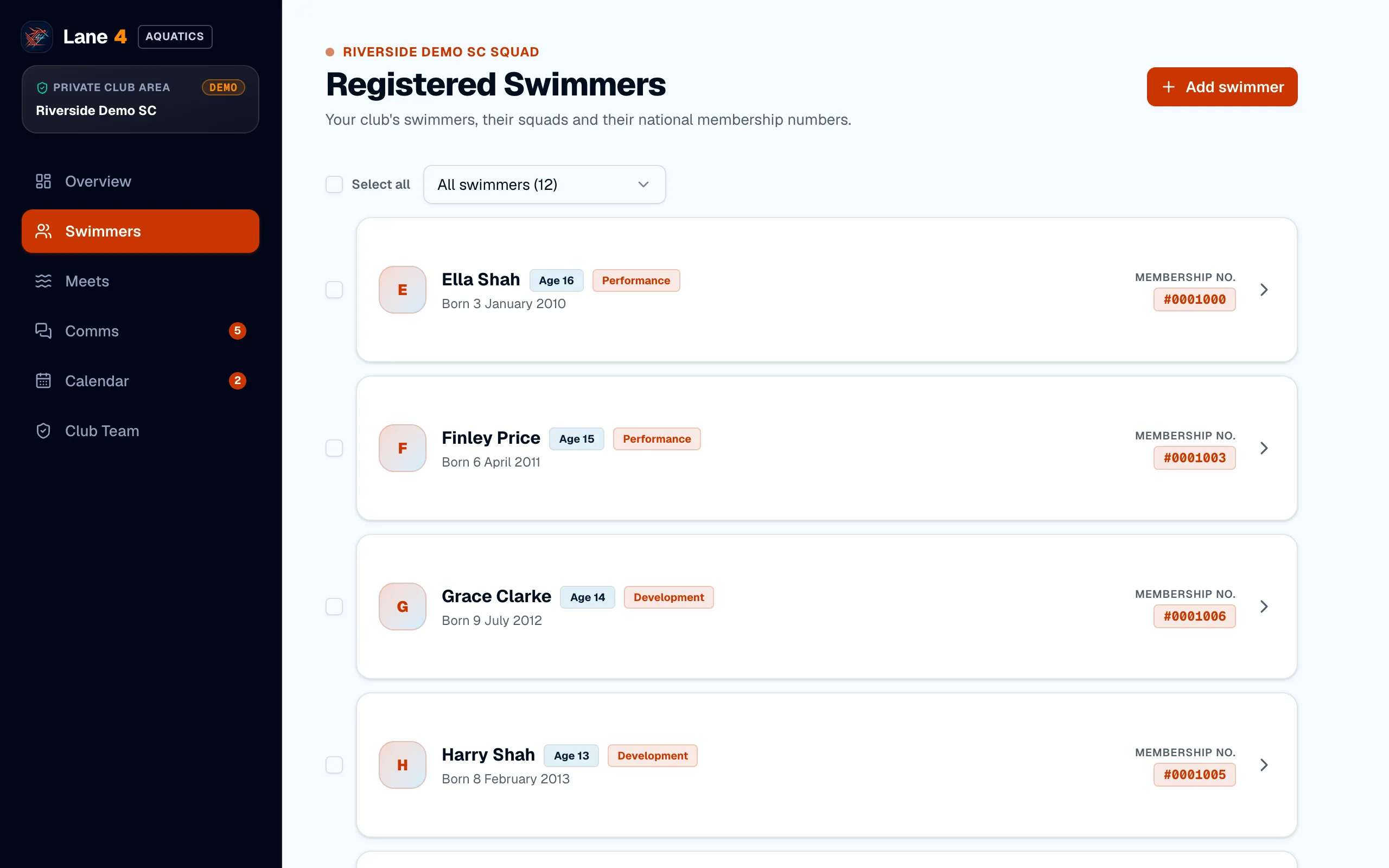
Swimmers are grouped by squad. To move several at once, tick them on the Swimmers page and choose Move to squad.
- 3
Link parents and add best times
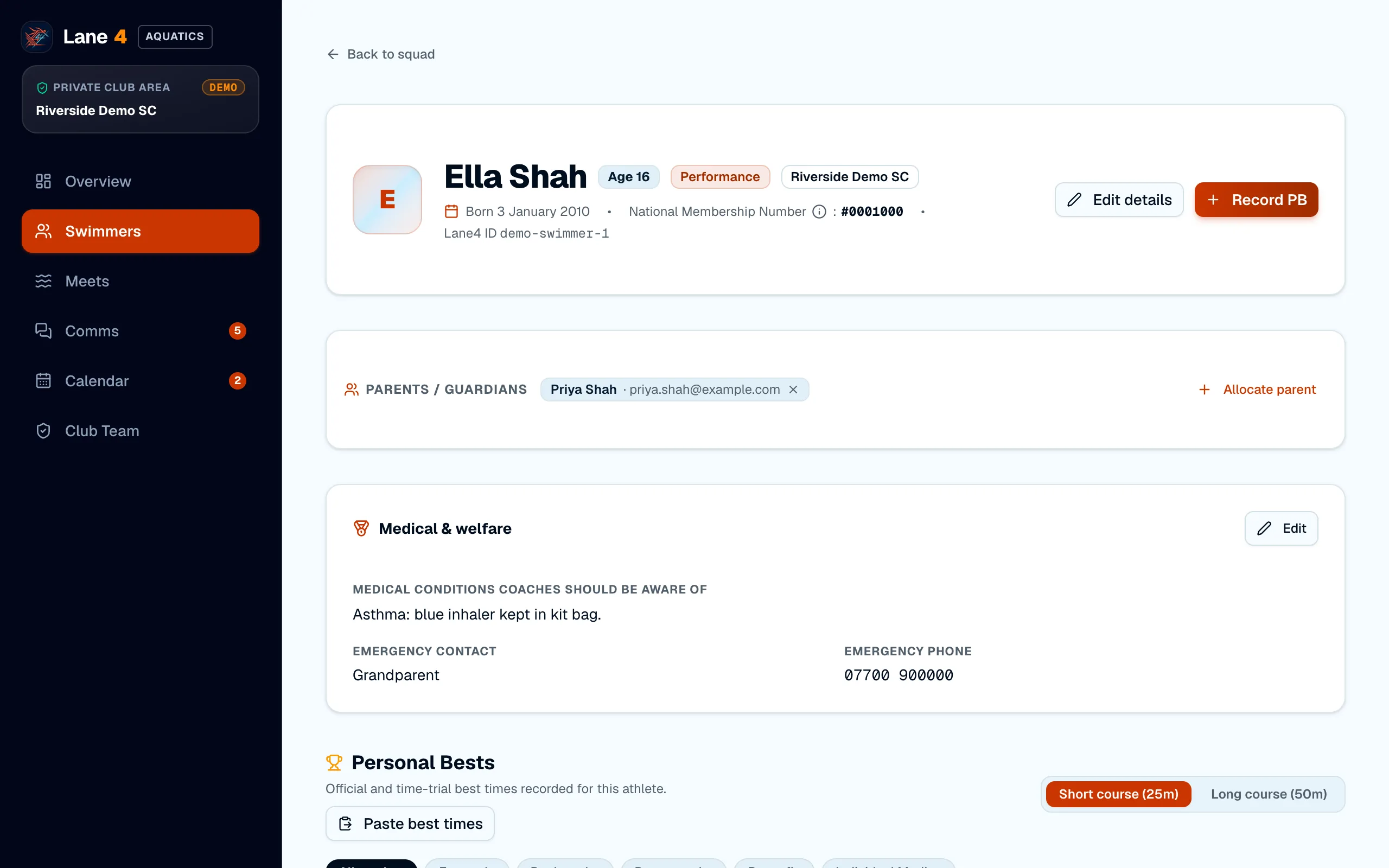
Open a swimmer's profile and choose Allocate parent to link one or more parents. On the same page you can record personal bests, or paste them from the swimmer's page on swimmingresults.org, so Lane4 can check them against qualifying times.
Screenshots show Riverside Demo SC, a made-up club with fictional members and swimmers.