
Set up a meet from the host's meet file
Create an open meet in Lane4 from the host club's Hy-Tek file, with its sessions, events and qualifying times, without typing them in.
For: Competition secretaries and team managers
- 1
Add the meet from the host's file
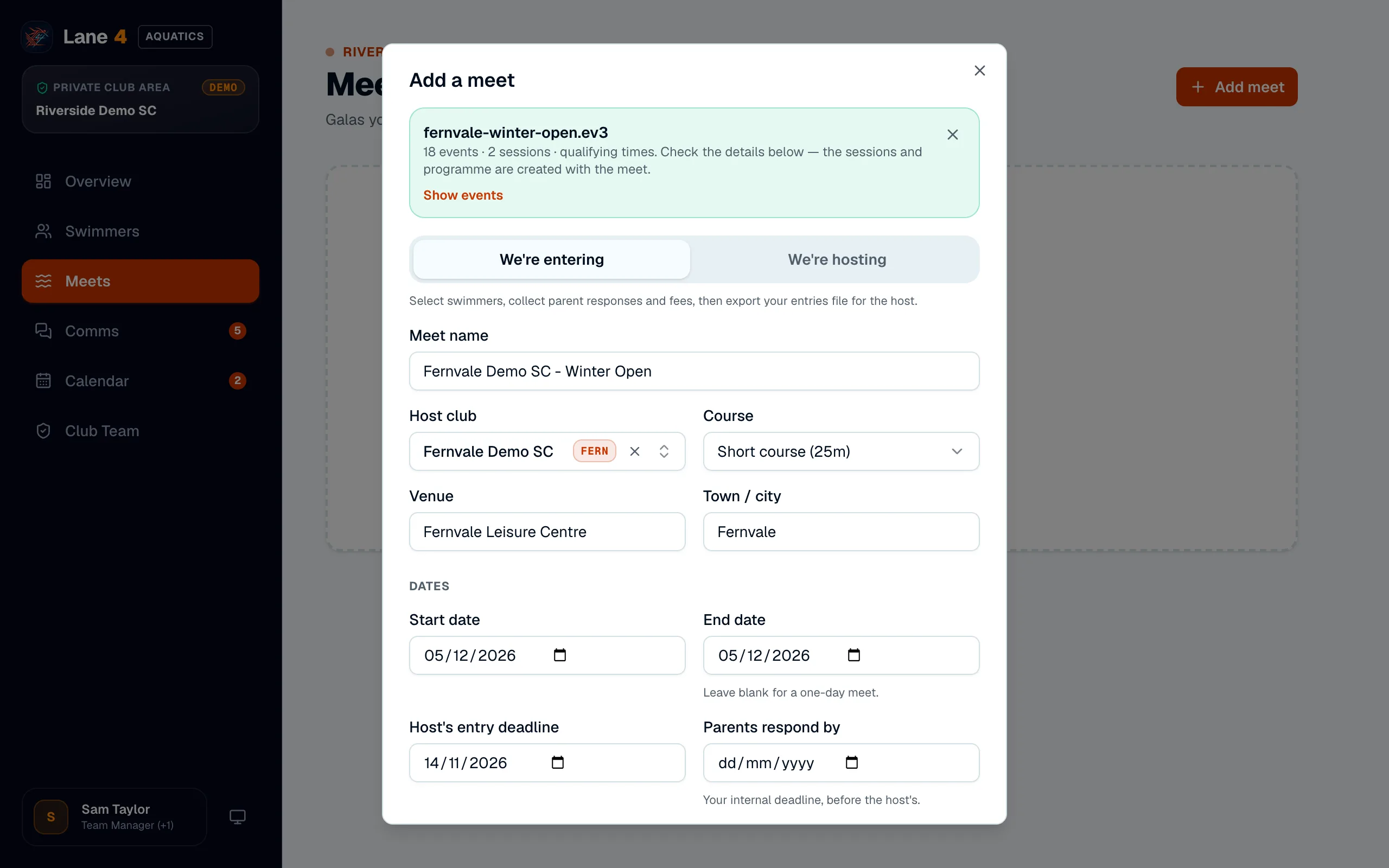
Download the Meet Events file from the host's meet pack (a .ev3 file, or the .zip it comes in). In Lane4, open Meets, choose Add meet and drop the file in. A results or entries .hy3 file works too.
- 2
Check the details
Lane4 fills in the meet name, host club, venue, dates, entry deadline, licence number and level from the file. Add your own Parents respond by date, earlier than the host's deadline, then choose Add meet.
- 3
Review the programme
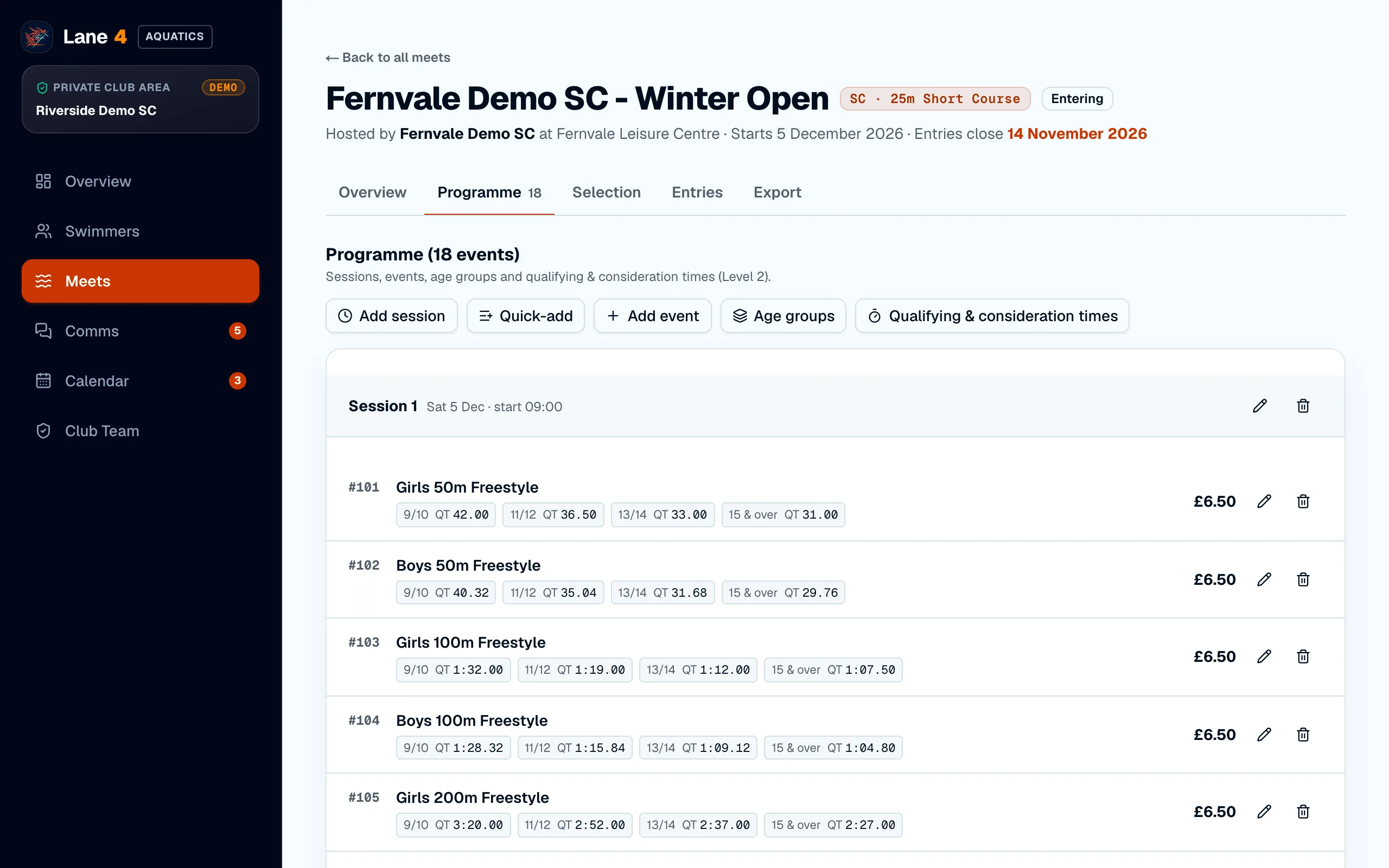
The Programme tab lists every session and event with its age groups, fees and qualifying times. You can edit any of them, or add events by hand for a meet without a file.
Screenshots show Riverside Demo SC, a made-up club with fictional members and swimmers.