
Select swimmers and invite them to enter
See who's eligible for each event and invite them, so parents can accept or decline in Lane4 rather than over WhatsApp.
For: Coaches and team managers
- 1
See who's eligible
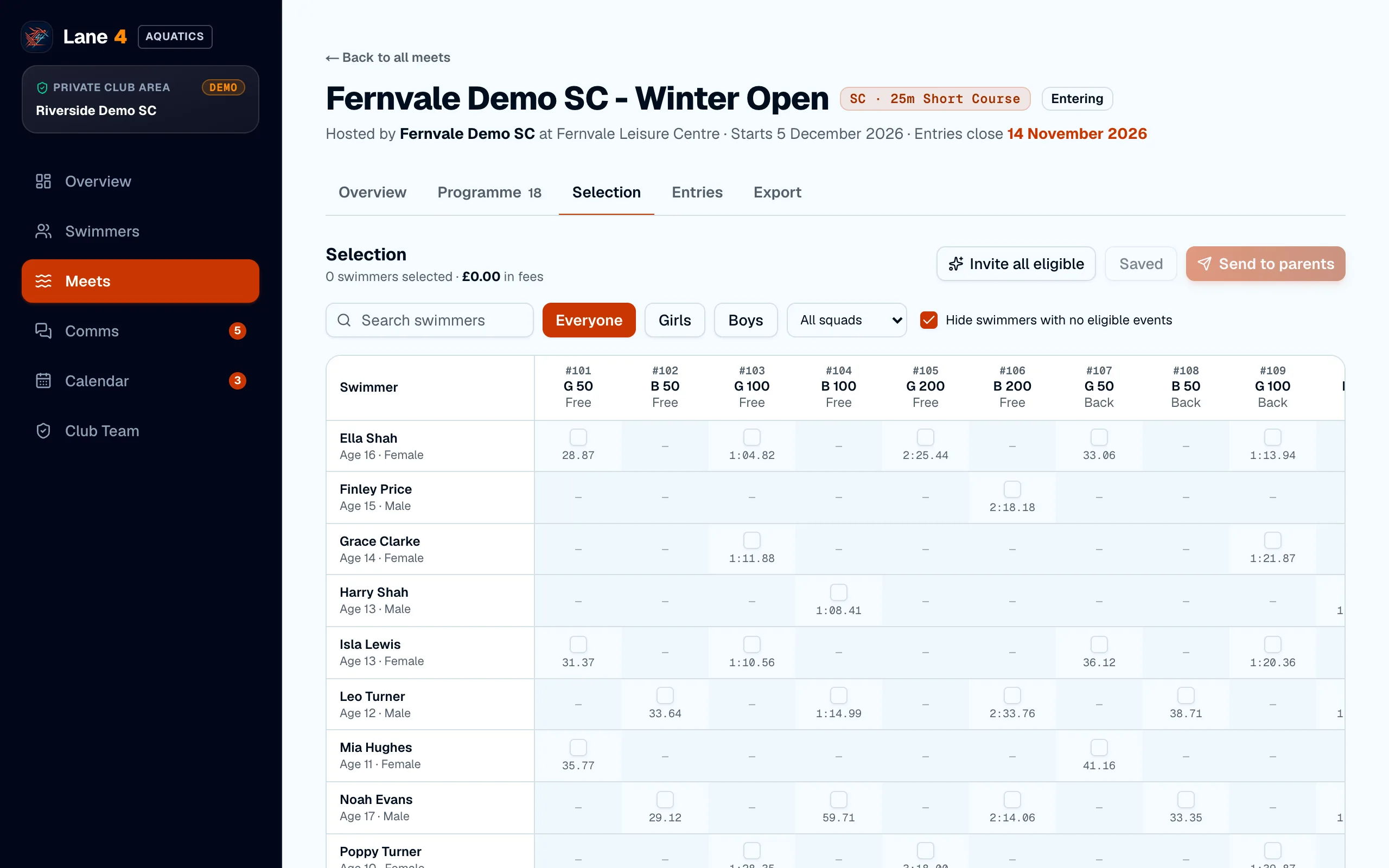
Open the meet and choose Selection. The grid shows every swimmer against every event: a tick box where they're eligible, with their best time. Hover over a dash to see why a swimmer can't enter.
- 2
Invite everyone eligible at once
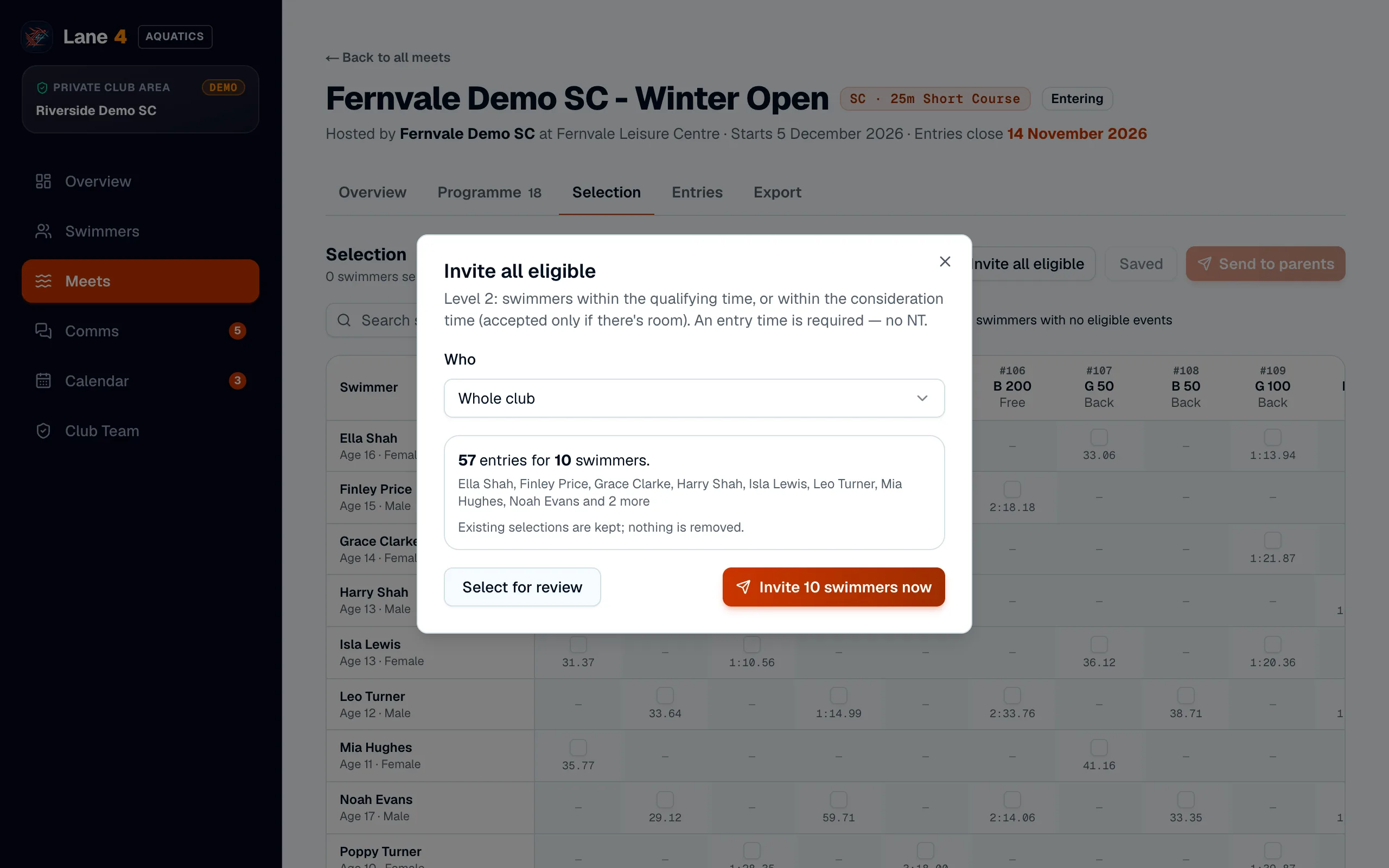
Choose Invite all eligible, pick the whole club or one squad, and choose Invite swimmers now. Or choose Select for review to tick and untick events first, then Send to parents.
- 3
Parents are asked to respond
Each parent sees an Action needed card on their Overview with your deadline, and can accept or decline.
Screenshots show Riverside Demo SC, a made-up club with fictional members and swimmers.