
Respond to a meet invitation (for parents)
Accept or decline your swimmer's meet entries, choose which events they swim, and see what it will cost.
For: Parents
- 1
Open the invitation
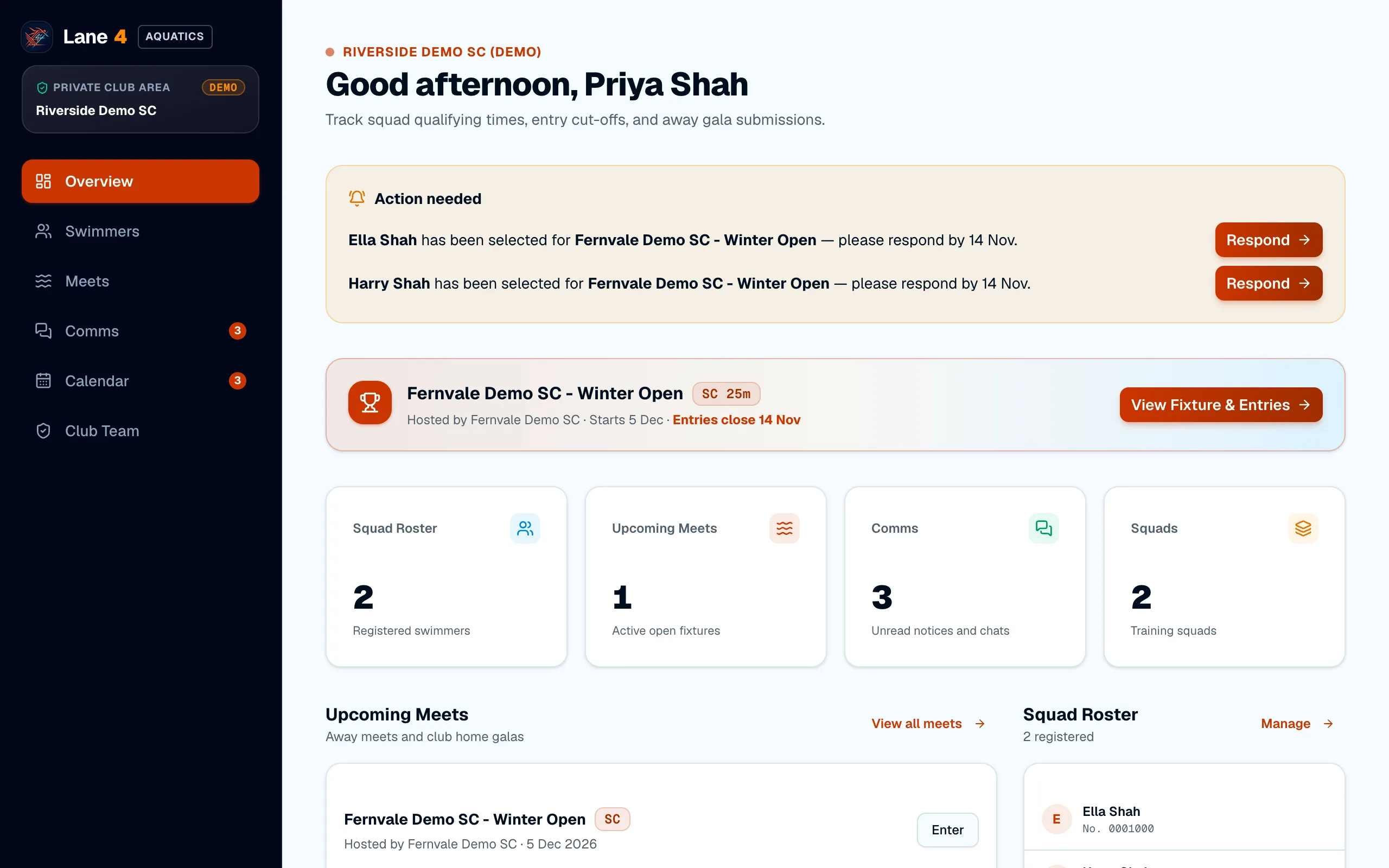
When your swimmer is selected, your Overview shows Action needed with the club's deadline. Choose Respond.
- 2
Choose events and accept
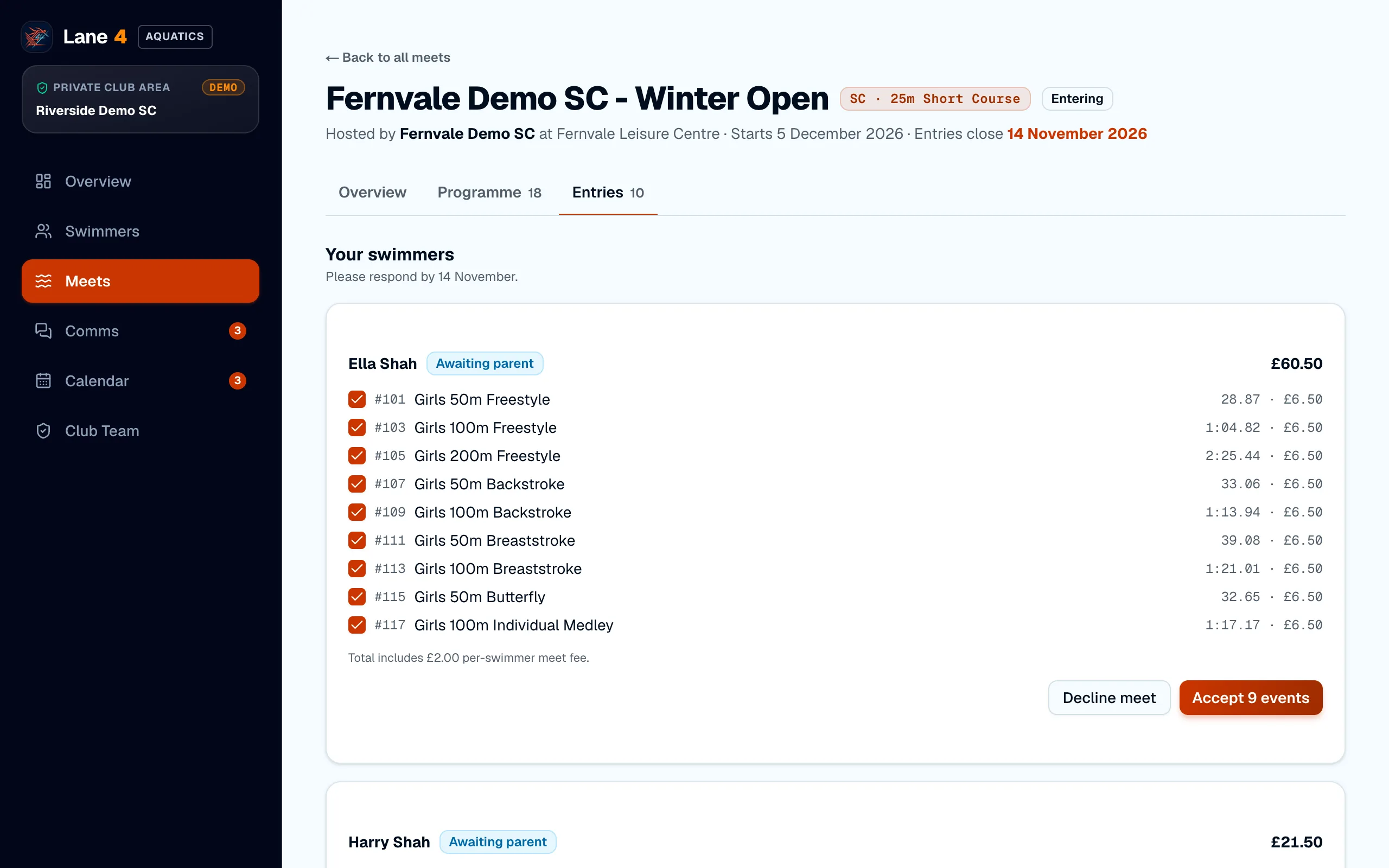
You'll see each event your swimmer has been selected for, with their entry time and fee. Untick any events they shouldn't swim, then choose Accept. If they can't go, choose Decline meet.
- 3
On your phone
Lane4 works in your phone's browser too, so you can respond from the poolside.
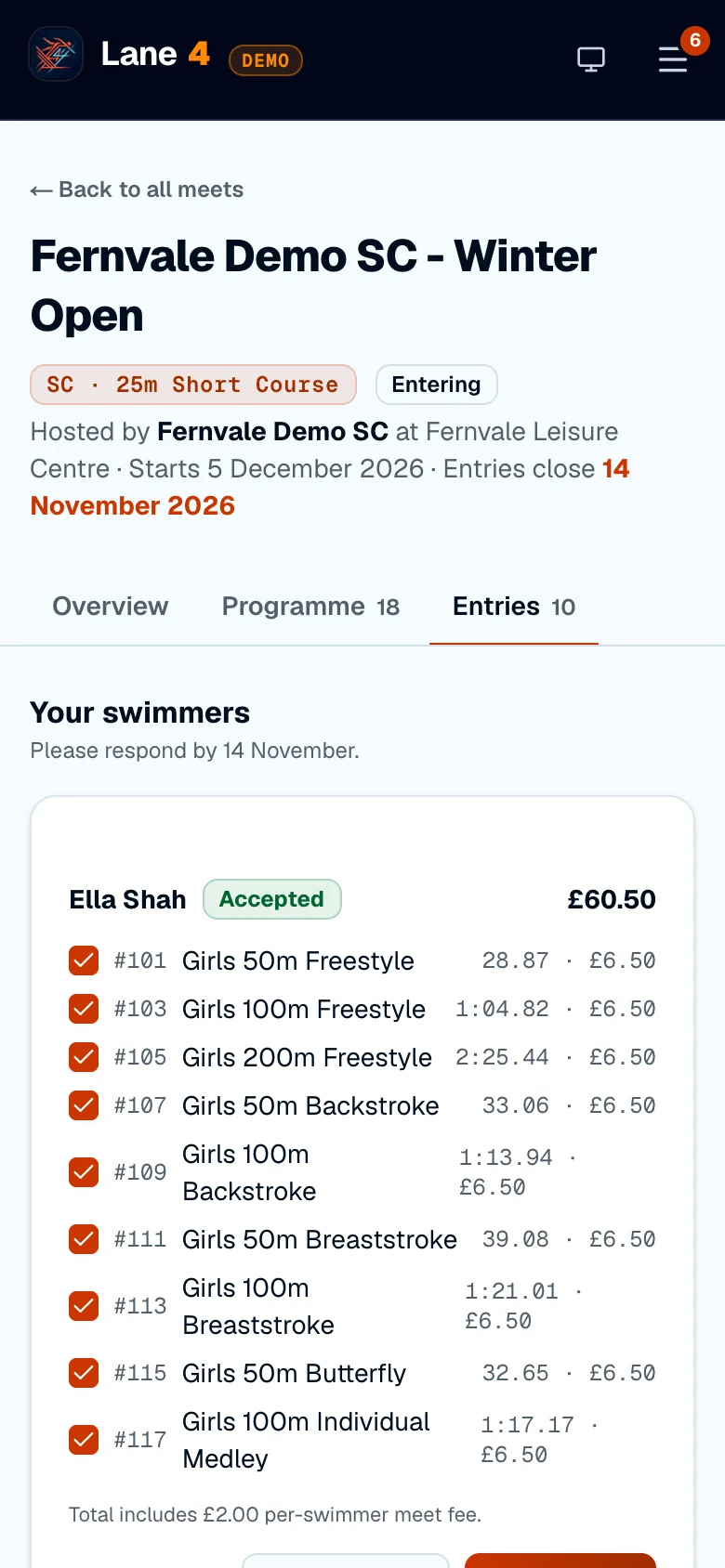
Screenshots show Riverside Demo SC, a made-up club with fictional members and swimmers.