
Track responses and export entries to Hy-Tek or SPLASH
See who has accepted and paid, then download an entries file the host can import, with no retyping.
For: Competition secretaries and team managers
- 1
Track responses and payments
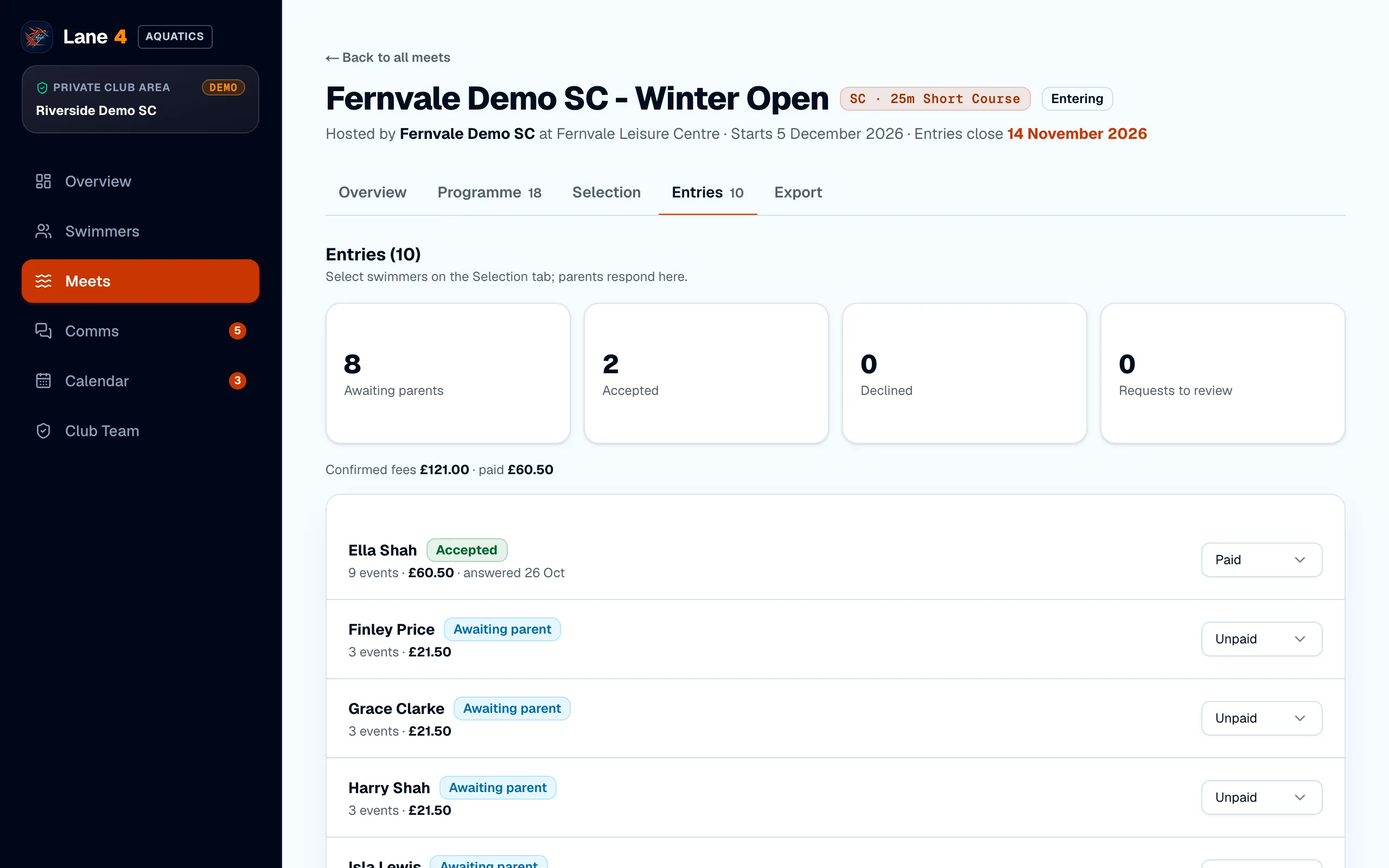
The meet's Entries tab shows how many parents are awaiting, have accepted or have declined, and the fees confirmed and paid. Set each entry to Unpaid, Paid or Refunded as payments come in.
- 2
Download the entries file
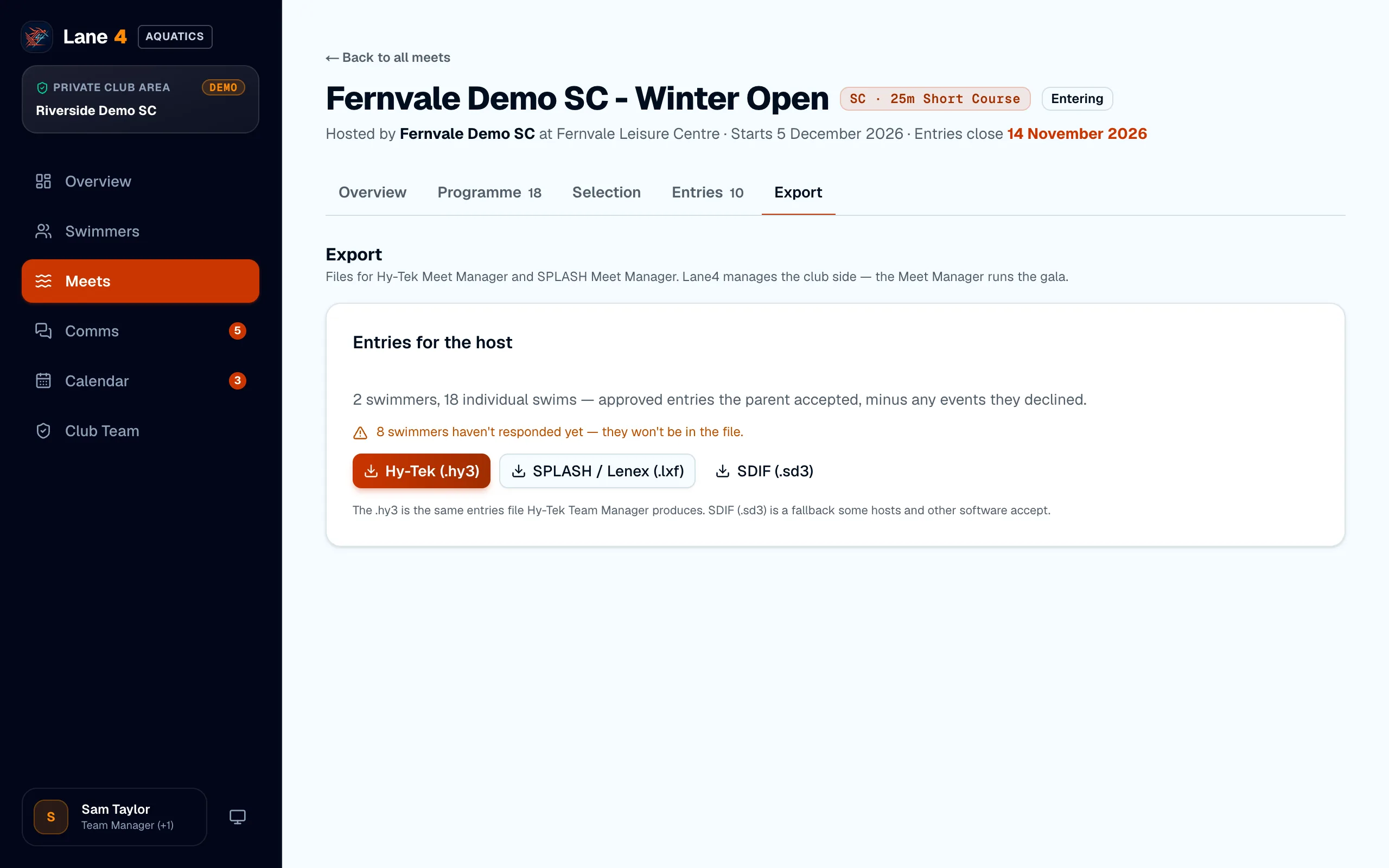
On the Export tab, choose the file the host asked for: Hy-Tek (.hy3), the same format Team Manager produces; SPLASH / Lenex (.lxf) for SPLASH meets; or SDIF (.sd3). Only events parents accepted are included.
- 3
Send it to the host
Email the file to the host club, or upload it wherever their meet pack says. In Hy-Tek Meet Manager it's imported with File › Import › Entries; in SPLASH with Import › Entries.
Screenshots show Riverside Demo SC, a made-up club with fictional members and swimmers.