Post a notice to the club or a squad
Reach every member, or just one squad's parents, with a notice they'll get by push notification and email.
For: Committee members, officers and coaches
- 1
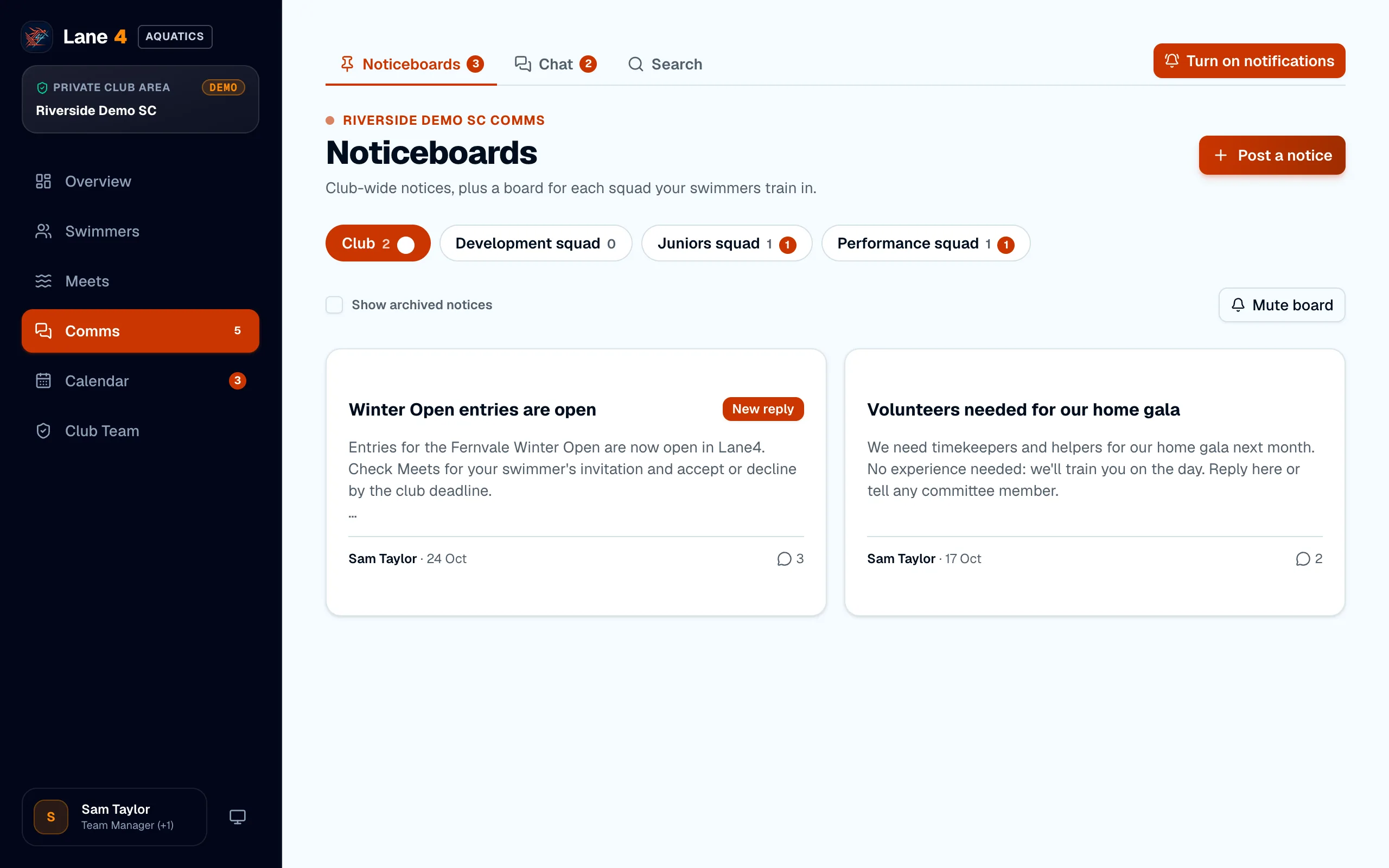
Open the noticeboards
Open Comms. There's a club noticeboard for everyone, and a board for each squad that only that squad's parents and the club's staff can see.
- 2
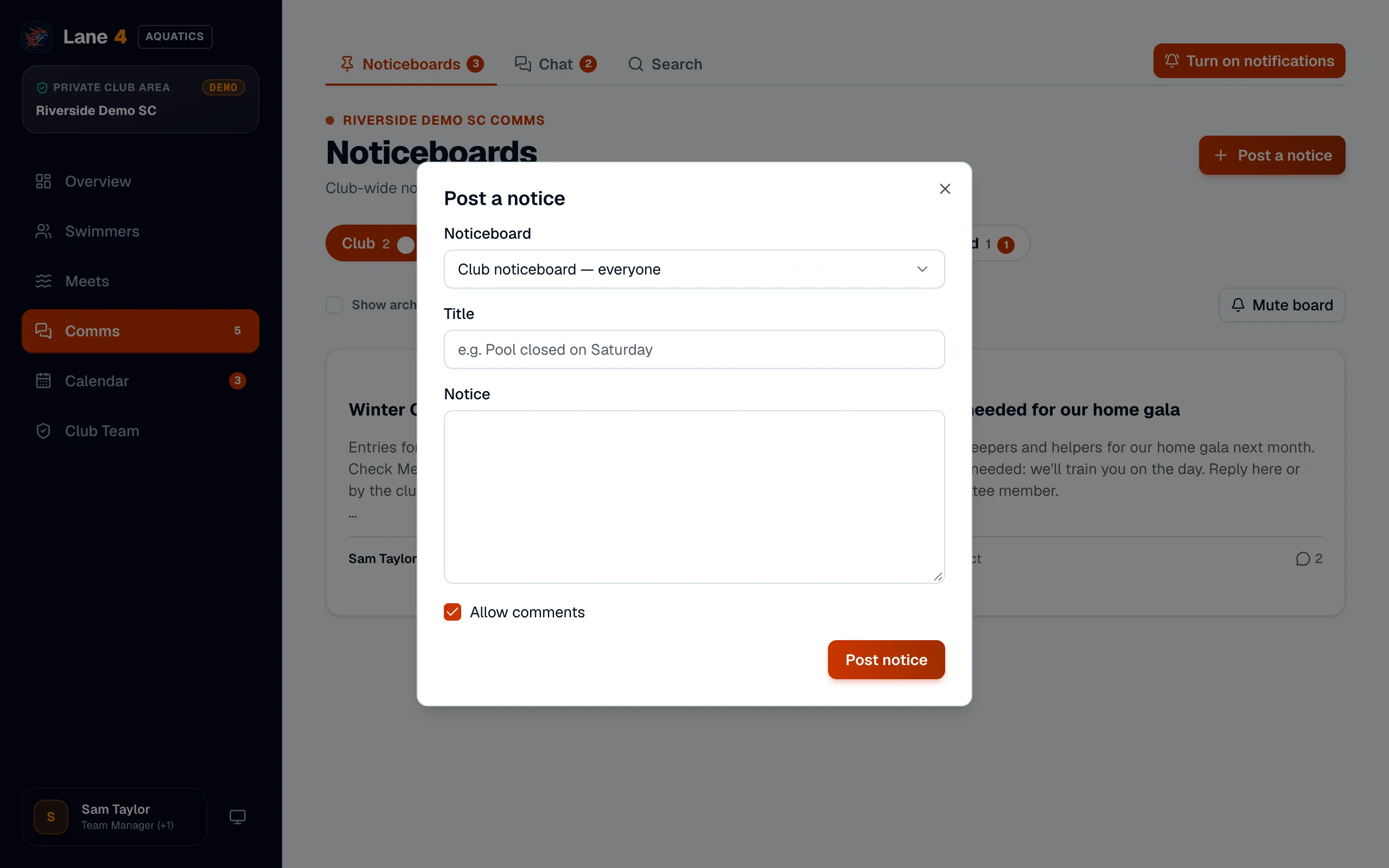
Post your notice
Choose Post a notice, pick the noticeboard, add a title and your notice, and choose whether to allow comments. Then choose Post notice.
- 3
Everyone hears about it
Members who can see that board get a push notification and an email, unless they've muted it. Replies notify the poster and everyone else who has commented.
Screenshots show Riverside Demo SC, a made-up club with fictional members and swimmers.