
Use the club calendar and add it to your phone
See club events, meets, entry deadlines and training in one calendar, and keep it in sync with Google, Apple or Outlook.
For: Everyone (linking Google Calendar: club admins)
- 1
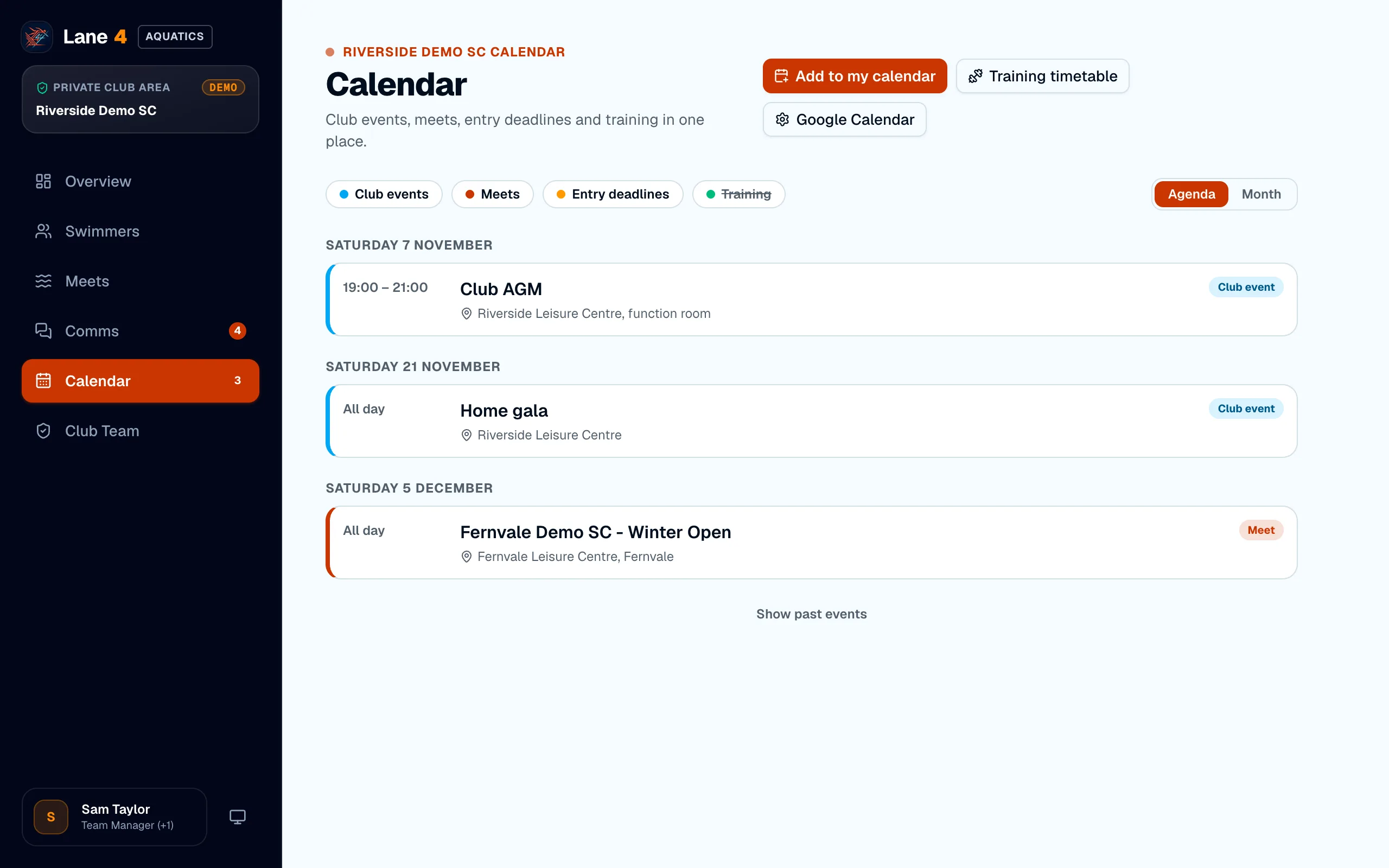
See what's coming up
Open Calendar for club events, meets, entry deadlines and training, as an agenda or a month view. Meets appear automatically when they're added to Lane4.
- 2
Add it to your own calendar
Choose Add to my calendar and pick Google Calendar or Apple / Outlook. Once you've subscribed, it stays up to date on your phone. The links are private to you.
- 3
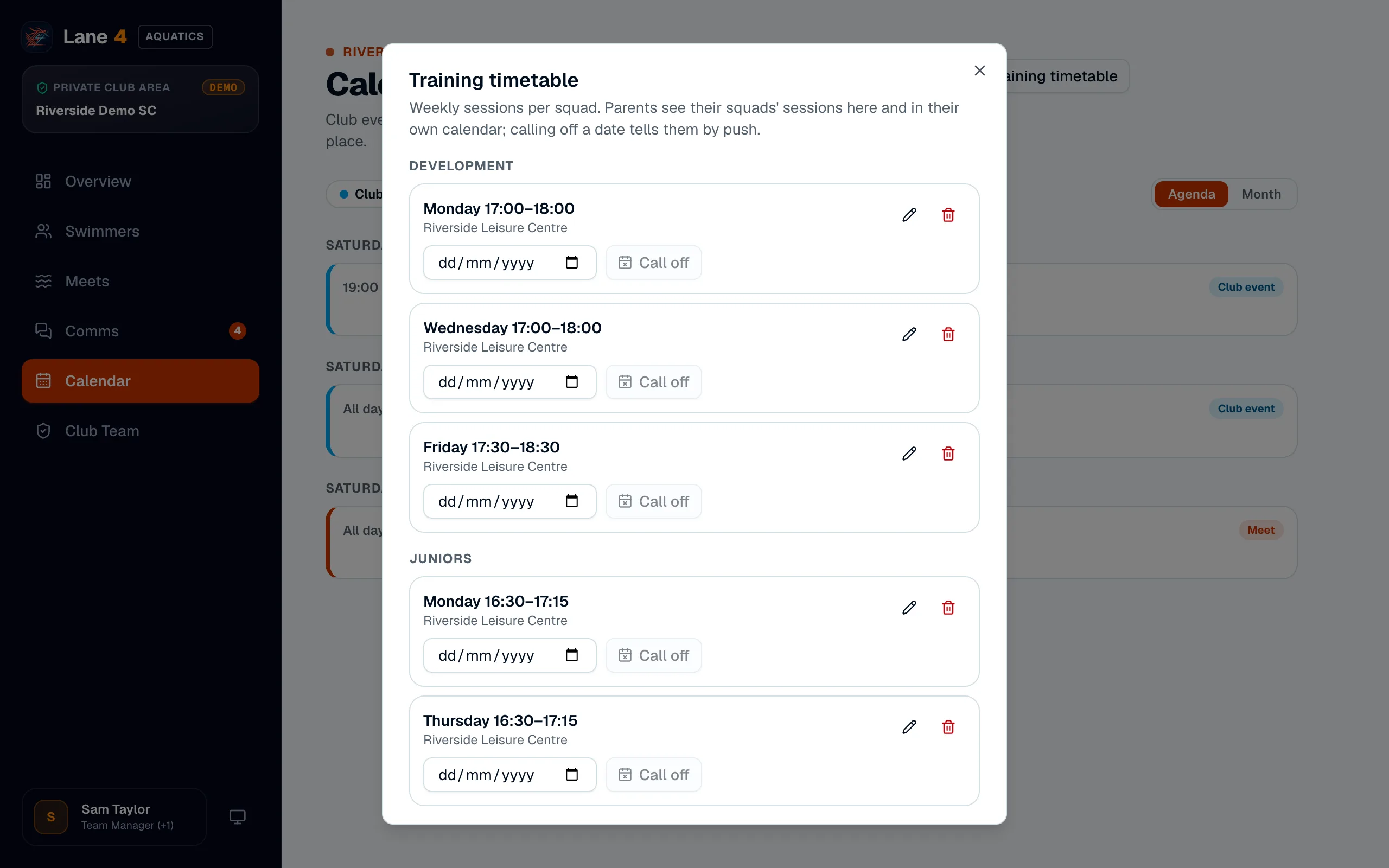
Keep the training timetable
Admins set each squad's weekly sessions under Training timetable. If a session is called off, choose Call off for that date and the squad's parents are told by push notification.
- 4
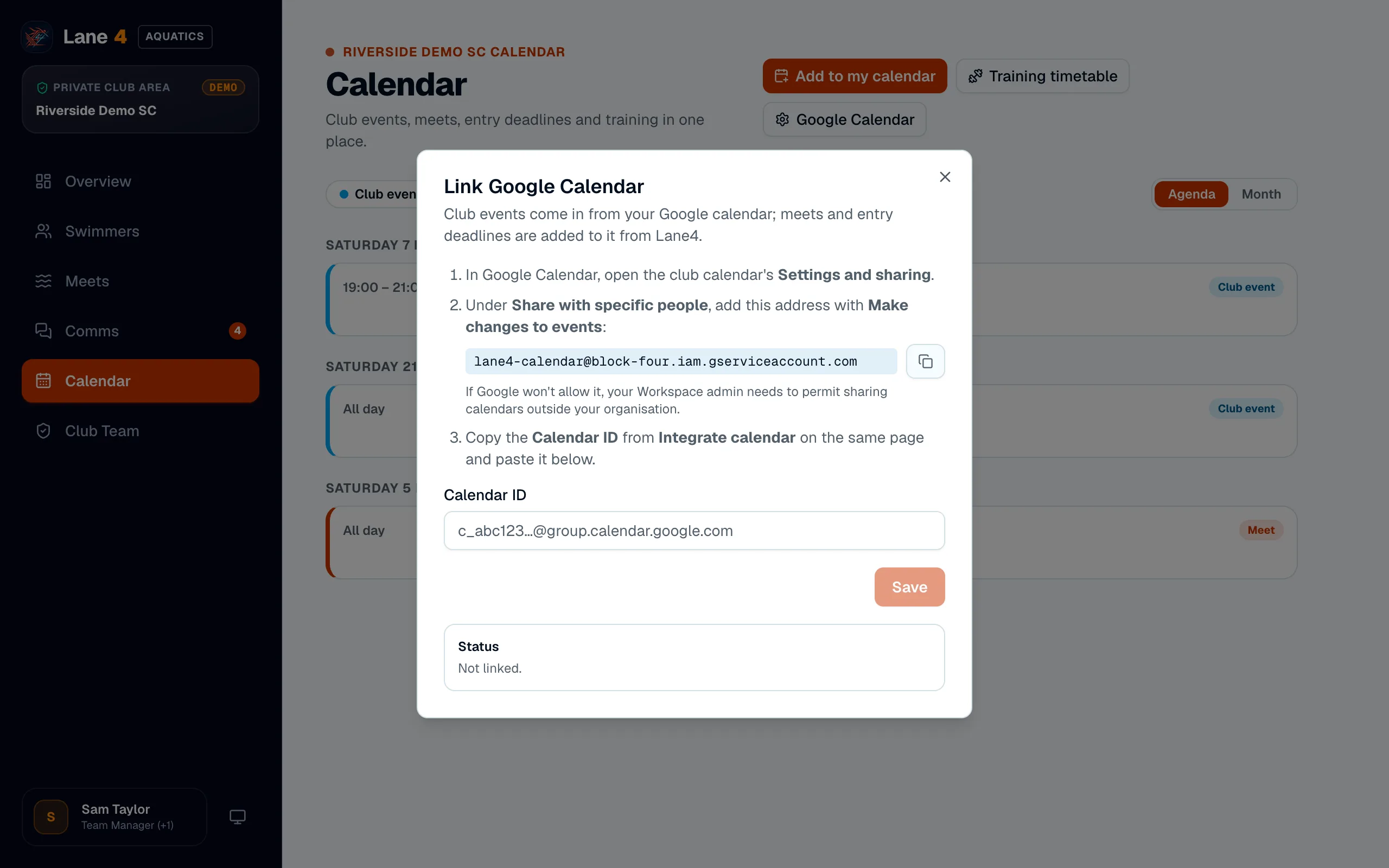
Link the club's Google Calendar
If the club already keeps a Google Calendar, choose Google Calendar and follow the steps to share it with Lane4. Club events then flow in, and meets and entry deadlines are added to it.
Screenshots show Riverside Demo SC, a made-up club with fictional members and swimmers.